Skip to content
Lucky Dealer
Site Settings Guide
Select which brower you are using and follow the steps to resolve issues accessing OneView or the Java error when trying to change your password.
Chrome
Edge
CHROME
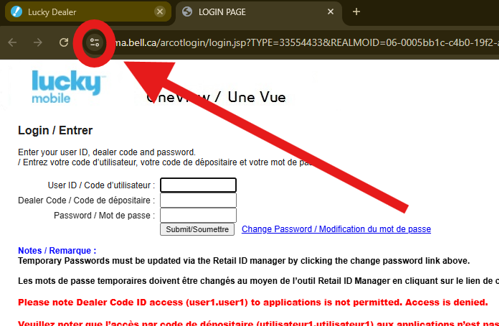
On the OneView login screen, click the site information button, then click ‘Site Settings’
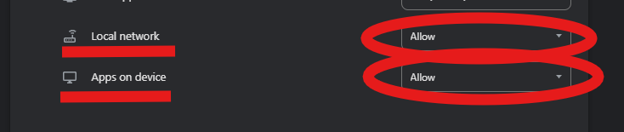
Change “local network” and “apps on device” to Allow.
(these settings are found at the bottom of the page)
Open a new tab, go to
https://infonet.luckymobile.ca
and set these same permissions to allow.
Do this again for
https://www.infonet.bellmobility.ca.
EDGE
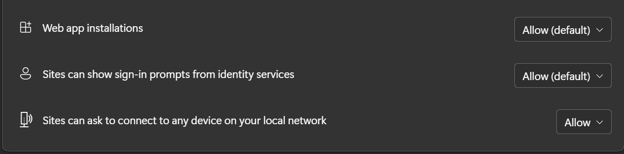
On the OneView login screen, click the site information button and click “Permissions for this site”.
Set the following settings to “Allow”.
Open a new tab, go to
https://infonet.luckymobile.ca
and set these same permissions to allow. Repeat for
https://www.infonet.bellmobility.ca
.
If you are still having trouble logging in, contact us at:
[email protected]
1 (833) 339-0877